



10 Everyday Tricks That Will Make Your Cellphone Battery Last Longer
Whether it's to text your friend emojis, listen to your favourite jam on repeat, stalk newsfeeds when no one's looking, snap the perfect Insta, or even actually call someone, for better or worse, we pretty much spend most of our waking lives on our phones.
Cellphones have definitely come a long way over the years, providing us with hours upon hours of entertainment. Only problem is, our phones still can’t possibly provide us with endless battery power.
The simplest solution would be to obviously stop checking your phone every 6.7 minutes, but since that's most likely not going to happen anytime soon, we tapped into the Public Mobile community, a user forum offering a wide range of useful tips, and picked up a few easy tips to get the most juice out of your favourite toy, and keep your battery out of the dreaded red zone a bit longer.
1. Proper Charging
It's no secret that you need to charge your battery for it to work, but how you're charging it makes a big difference. Try not to leave your phone charging overnight. Lithium-ion batteries like movement, which means it's better to give your phone boosts of energy, rather than long charges. Letting your phone die is also not recommended. Ideally, you want your battery to read between 25%-85%.
2. Auto-Brightness Is Auto-Fail
While you may think that Auto-Brightness has got your back in terms of regulating how bright your screen is, it is still draining your battery. Get in the habit of setting your own brightness manually depending on your needs. Not only will your battery thank you, but so will your eyes.
3. Turn Off Cellular Data/Roaming
When you're out and about in your own city, you expect your phone to receive your texts/call/emails etc., you pay for it to do so after all, but don't forget to turn off your cellular data whenever you leave your coverage zone. It will save you from truly horrifying charges, and save some valuable battery juice.
4. Kill Those Background/Unnecessary Apps
Where would we be without our many apps? Only problem is, some of them like to put the squeeze on battery life, even when you think you're not using them. They continue to use resources in the background (updating, etc.), which is often unecessary. So kill them off when not using them, and similarly for apps you really don't use anymore.
5. Auto-Lock That It Up
There is no reason your phone should stay on when you're done using it. Set your auto-lock to something reasonable like 30 seconds, even lower if you can handle it.
6. Radio Silence
Like anything, if it's not on, then it doesn't need power. Switch off your Bluetooth and Wi-Fi when you are not using them. It will make a load of difference to your precious battery life.
7. Go Easy on Location Services/GPS
One of the many handy features of our portable devices is its GPS. Finding your way around town and Checking In at your favourite bar is useful, but consider turning your Location Services off when you don't need them, or at least on the apps that really don't need them.
8. Let There Be Sound
Ringtones can be really annoying sometimes, that's why there's the vibrate option, but the vibration motor takes power to rotate the tiny weight that makes your whole phone shake. A lot more power than the tiny membrane in the speaker that makes sound, anyway. When you can, consider putting your phone on silent and leaving it in view so you can see when you get a call.
9. Notifications/Push Email Are Not Your Friends
Notifications are useful because, well, they notify you of stuff. But you probably have at least a couple of apps you don't need constant notifications from. Same thing goes for push email. Change the setting to fetch to every 15 or 30 minutes. I'm sure you'll survive without all that spam email notifying you every two seconds.
10. Power Saving Mode FTW
Our phones have gotten so smart, when all else fails, they will automatically manage these various power-sapping features for you. The Power-Saving mode by default will kick in when your battery level drops to 20% to prevent apps from updating in the background, dim your screen, reduce the screen timeout setting, disable on-screen animations, and turn off vibration as a last-ditch effort.
When all else fails, you could also try this....
 Luciano Frattolin is taken away in custody from the Essex County Court in Elizabethtown, New York on Friday, July 24, 2026. Luciano Frattolin charged with 2nd-degree murder and concealment of a human corpse.
THE CANADIAN PRESS/Christopher Katsarov
Luciano Frattolin is taken away in custody from the Essex County Court in Elizabethtown, New York on Friday, July 24, 2026. Luciano Frattolin charged with 2nd-degree murder and concealment of a human corpse.
THE CANADIAN PRESS/Christopher Katsarov Police officers open the back of a recovered truck during a press conference regarding Project 24K, a joint investigation into the theft of gold from Pearson International Airport, in Brampton, Ont., on Wednesday, April 17, 2024.
THE CANADIAN PRESS/Arlyn McAdorey
Police officers open the back of a recovered truck during a press conference regarding Project 24K, a joint investigation into the theft of gold from Pearson International Airport, in Brampton, Ont., on Wednesday, April 17, 2024.
THE CANADIAN PRESS/Arlyn McAdorey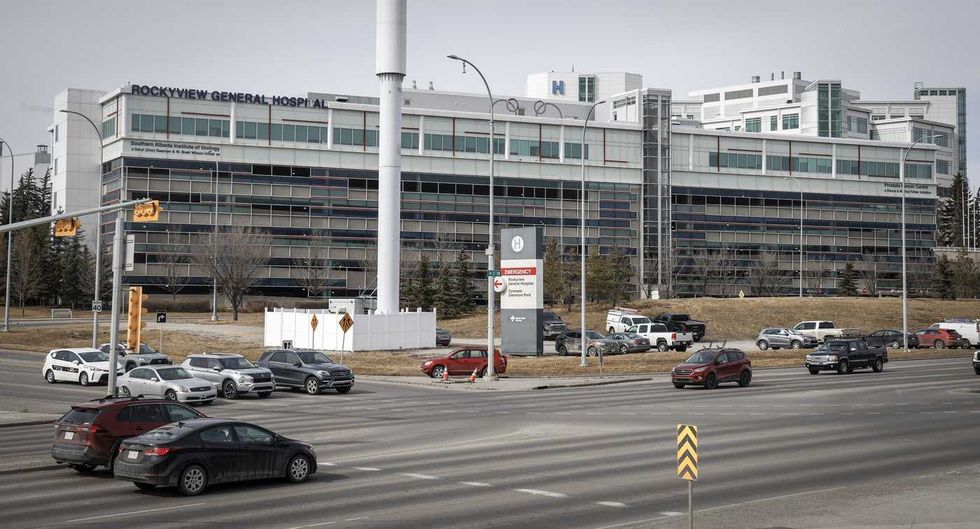 The Rockyview General Hospital is pictured in Calgary, Thursday, March 20, 2025.
THE CANADIAN PRESS/Jeff McIntosh
The Rockyview General Hospital is pictured in Calgary, Thursday, March 20, 2025.
THE CANADIAN PRESS/Jeff McIntosh This composite image shows, left to right, B.C. NDP Leader David Eby in Vancouver, on April 13, 2026; B.C. Conservative interim Leader Lorne Doerkson, in Vancouver, on Sept. 22, 2026; B.C. Green Party Leader Emily Lowan in Victoria, on Sept. 23, 2026.
THE CANADIAN PRESS/Darryl Dyck, Rich Lam, Kevin Light
This composite image shows, left to right, B.C. NDP Leader David Eby in Vancouver, on April 13, 2026; B.C. Conservative interim Leader Lorne Doerkson, in Vancouver, on Sept. 22, 2026; B.C. Green Party Leader Emily Lowan in Victoria, on Sept. 23, 2026.
THE CANADIAN PRESS/Darryl Dyck, Rich Lam, Kevin Light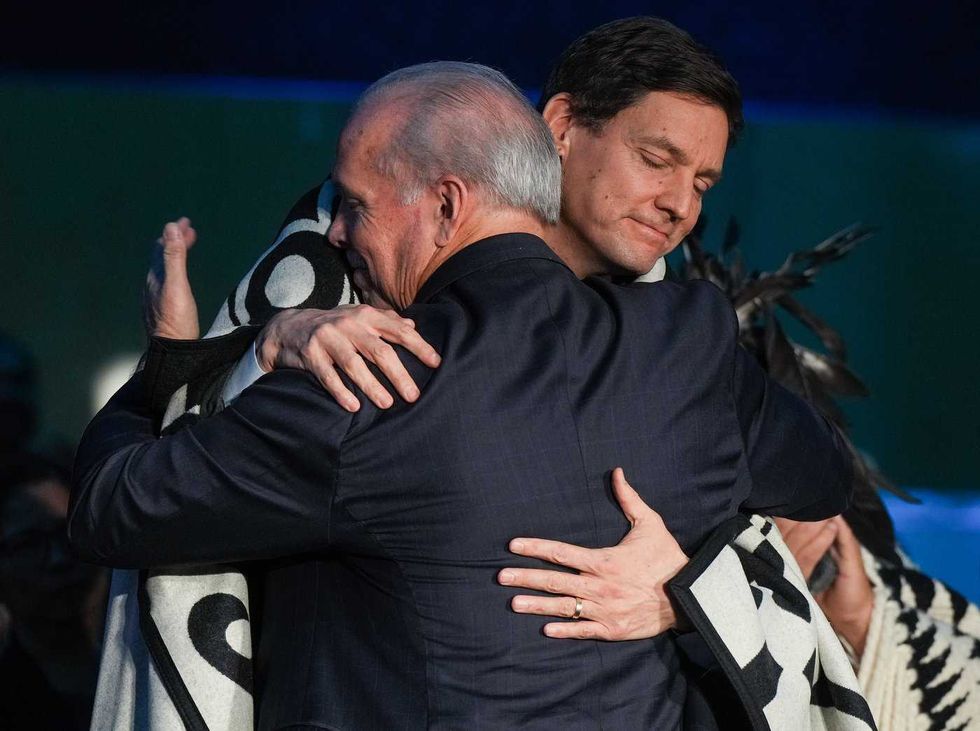 B.C. Premier David Eby, back, and outgoing premier John Horgan embrace during a swearing in ceremony where Eby became the province's 37th premier at the Musqueam Nation, in Vancouver, B.C., Friday, Nov. 18, 2022.
THE CANADIAN PRESS/Darryl Dyck
B.C. Premier David Eby, back, and outgoing premier John Horgan embrace during a swearing in ceremony where Eby became the province's 37th premier at the Musqueam Nation, in Vancouver, B.C., Friday, Nov. 18, 2022.
THE CANADIAN PRESS/Darryl Dyck